
TABLE OF CONTENTS
- What are Passkeys?
- Why use a Passkey?
- How to set up a Passkey?
- Managing your passkeys
- Supported authenticators
What are Passkeys?
Passkeys are a modern, passwordless way to sign in to your Finsei account. Instead of typing a password, you use your device's built-in security — fingerprint, face recognition, or screen lock PIN — to verify your identity.
Why use a Passkey?
Faster sign-in — no need to remember or type a password
More secure — passkeys are resistant to phishing and credential theft; they never leave your device
Works with what you already use — Touch ID, Face ID, Windows Hello, or a hardware security key (USB/NFC/Bluetooth).
How to set up a Passkey?
First time setting up a Passkey from an authentication screen
Log in to your Finsei account and select Passkey → Add a passkey and follow your device's prompt
Only create a passkey on a device you personally own and control.
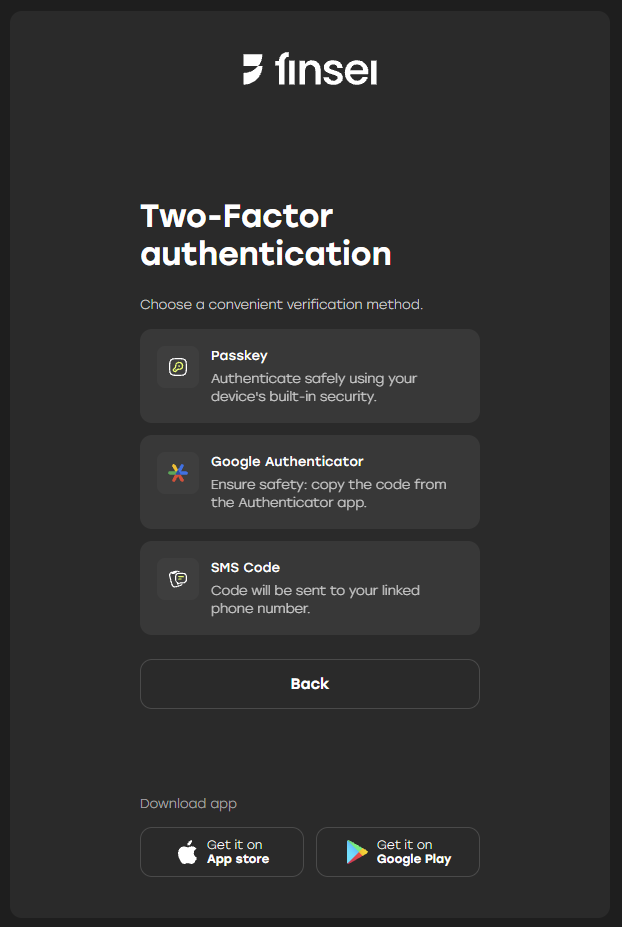
Setting up a Passkey from security settings for the first time
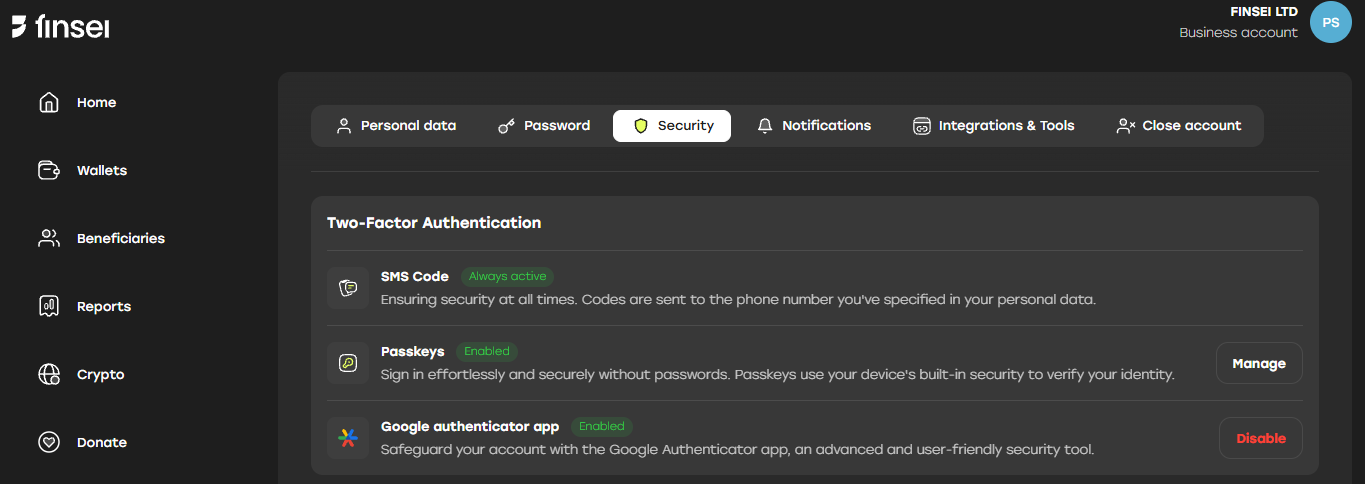
Go to Settings → Security
In the Passkeys section, click Add a passkey and follow your device's prompt
Only create a passkey on a device you personally own and control.
Managing your passkeys
In Settings → Security → Passkeys → Manage you can:
See all devices with an active passkey and when they were last used
Rename a device to recognize it easily
Remove a passkey from any device at any time
Supported authenticators
Device passkeys (built-in biometrics or screen lock)
Hardware security keys via USB, NFC, or Bluetooth