
Please note that in order to change the PIN code, your card must first be activated. For card activation instructions, please see this article.
Find the card you want to change the PIN for in the Wallets section.
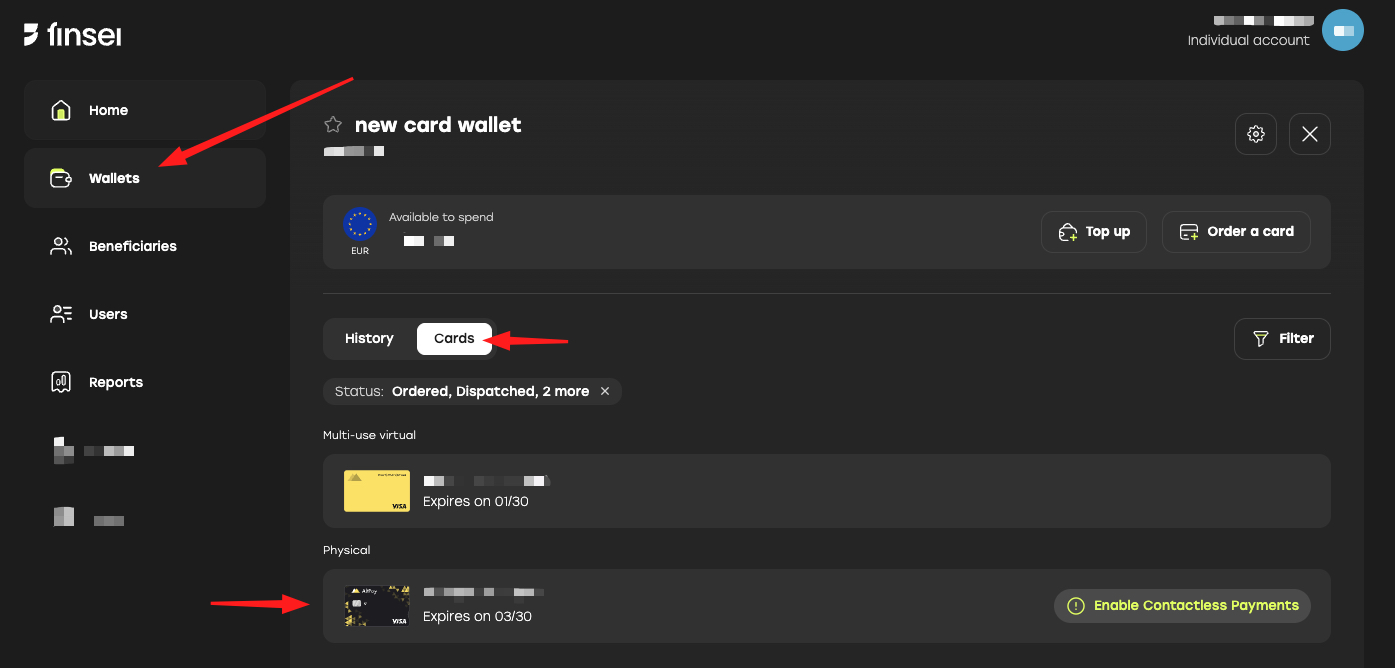
Click PIN
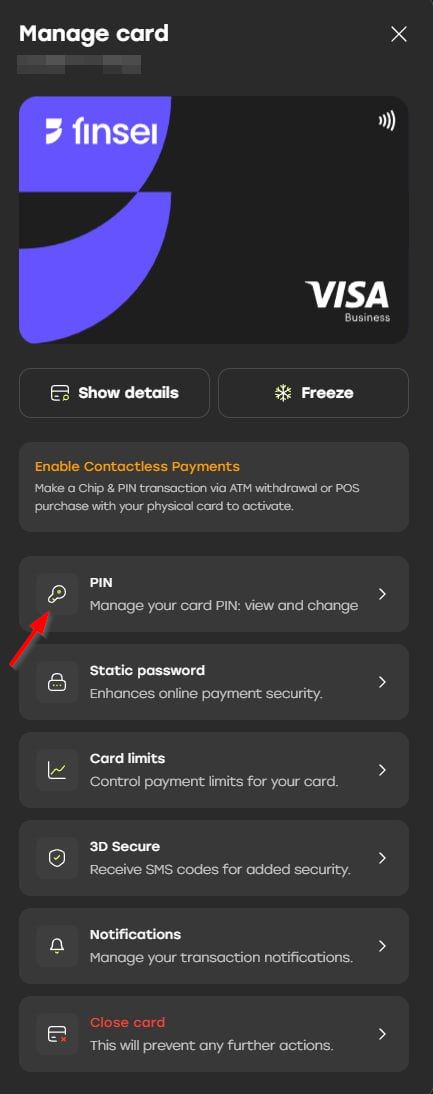
Please note that the PIN code should not have all of the same digits.
New PIN activation
To write the new PIN to the card's chip, please use the new PIN (not the old one).
Activate the new PIN by performing either of the following actions:
- At an ATM: Perform a balance inquiry or a cash withdrawal using the new PIN.
- At a POS Terminal: Make an in-store payment using Chip & PIN with the new PIN.
Please bear in mind that setting the new PIN code can take up to 5 minutes.