
Bank deposit
Your account includes an EUR SEPA wallet immediately upon opening.
To access the details of your wallet, please refer to How to find my Wallet details?
We have several options where a deposit can be made from, but for first deposit Manual Bank Transfer needed.
Dashboard:
On the Dashboard, locate the «Top up» button on the top of the page.
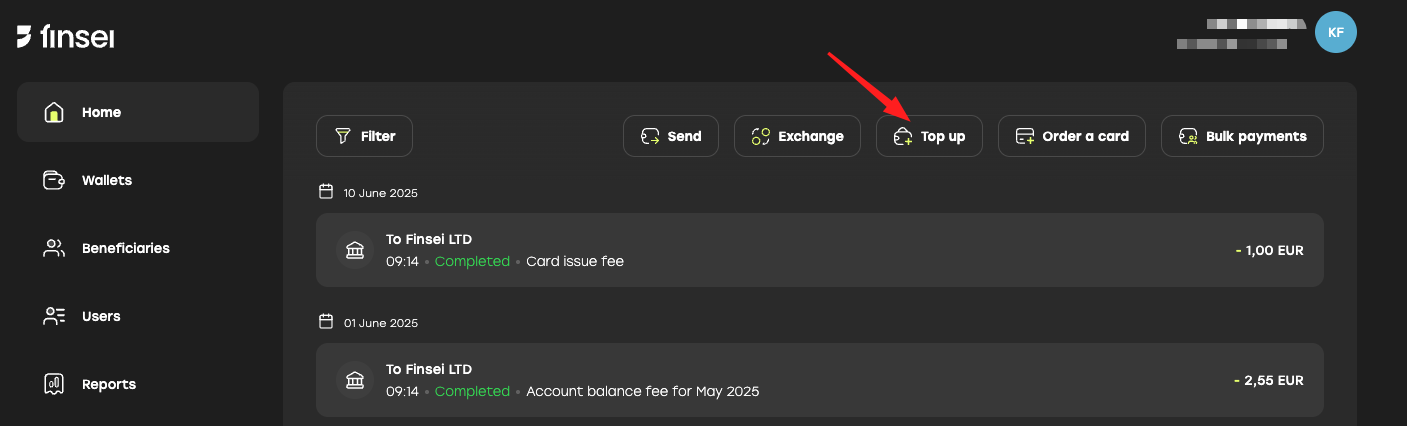
Choose your wallet from the list and click «Next».
Wallets:
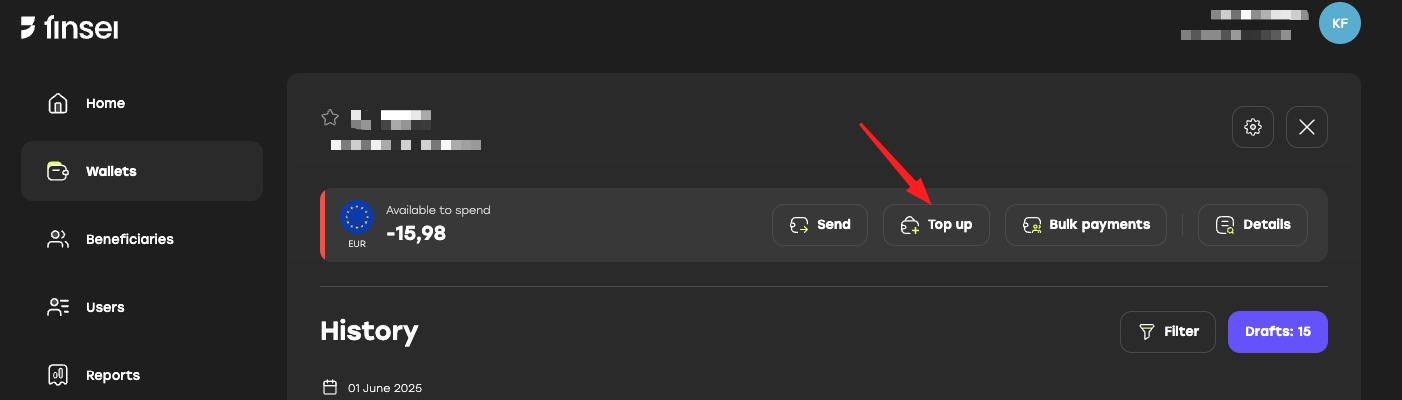
Click «Wallets» > Select a wallet > «Top up» in the center of the page.
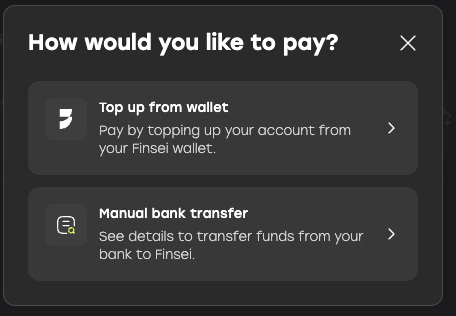
Select «Manual Bank Transfer», then copy and paste the provided details into your banking app to complete the transfer.
You can add funds via direct SEPA transfer. Please note that the transfer may take up to 1–2 business days to process.
To complete your payment securely, follow these steps carefully. If the funds do not arrive within 2 business days or if you encounter any issues, contact us at support@altpay.uk and provide a PDF copy of the Payment Confirmation from your bank.
«Top up from card» option currently is disabled in app and website.
For a smooth and secure payment process, please follow the steps provided. Should you face any challenges, our support team is here to help—simply reach out at support@finsei.com